Best AI Tools for Transcript-Based Content Marketing (2026)
Most small business owners are already creating content — they just don’t know it yet. Every podcast episode, client call, team meeting, webinar recording, and YouTube video is a transcript waiting to become a blog post, a LinkedIn thread, a newsletter issue, or an email sequence. The bottleneck isn’t ideas or expertise: it’s the time and skill required to convert spoken thought into polished written content. That bottleneck is exactly what AI has eliminated in 2026. A 45-minute podcast episode can now generate a week’s worth of content across four channels in under two hours of total work — with the right stack and workflow. This guide covers the specific tools that make that possible and the exact process for setting it up.
Why Transcripts Are the Best Content Marketing Raw Material
Spoken content has a structural advantage over written content as source material: it’s authentic, expert-driven, and already in your voice. When you speak about your business — answering a client question, explaining a concept on a podcast, walking through a process on video — you’re producing your most natural, knowledgeable content without the friction of the blank page. The problem has always been the conversion step: transcripts are messy, rambling, and full of filler words that read terribly on a page.
AI eliminates that conversion problem. Modern writing tools don’t just clean up transcripts — they understand the structure of what was said, extract the key points, reorganize them into formats appropriate for different channels, and produce draft content that sounds like a polished version of you, not a robot summarizing your words.
For small business owners already using AI in their operations, transcript-based content marketing is the logical next layer. If you’ve already explored how to use AI to run your small business more efficiently, content repurposing is one of the highest-leverage additions to that stack.
The Core Stack: Four Tools That Handle the Full Workflow
Step 1: Transcription — Otter.ai
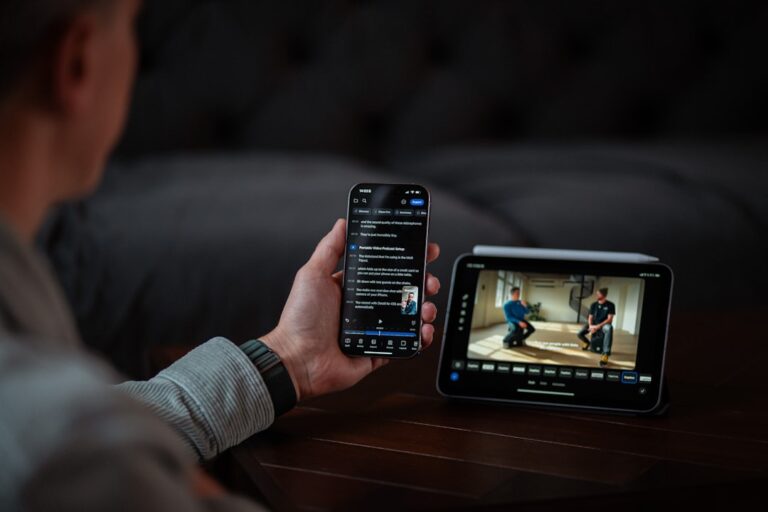
Otter.ai is the starting point for any transcript-based content workflow. It joins Zoom, Google Meet, and Teams calls automatically as a bot, transcribes in real time with speaker labels, and produces an AI-generated summary with key points extracted within minutes of recording ending. For recordings that aren’t live calls — podcast episodes, recorded videos, audio files — Otter accepts uploaded files and produces the same output.
What makes Otter particularly strong for content marketing (beyond its core meeting use case) is the summary layer. The AI-generated summary gives you a structured outline of the recording — topics covered, key claims made, notable quotes — that becomes your content brief before you write a single word.
Otter’s free plan covers 300 minutes of transcription per month. The Pro plan at $16.99/month removes the limit and adds longer AI summaries that are more useful as content source material. For businesses transcribing multiple episodes or calls per week, Pro is the right tier.
Step 2: Content Reformatting — Jasper
Jasper is the strongest AI writing tool for converting transcripts into polished, channel-specific content. Its brand voice feature — which learns your tone from samples of existing content — means that when you paste in a transcript and ask for a blog post, the output sounds like your writing, not generic AI text. For businesses with an established voice and audience, this matters significantly.
Jasper’s document editor handles long-form output well: paste your Otter summary and key transcript sections, select the blog post template, add your target keyword, and Jasper produces a structured 1,000–1,500 word draft with introduction, subheadings, and a conclusion. The revision workflow is conversational — “make the intro more direct,” “add a section about X,” “make the tone less formal” — and produces usable output in 2–3 iterations.
Beyond blogs, Jasper handles email newsletter drafts, LinkedIn posts, Twitter/X threads, and ad copy from the same transcript input. One source, five formats.
Step 3: Social and Short-Form — Copy.ai
Copy.ai is particularly strong for short-form social content because its interface is optimized for quick, iterative output rather than long-form documents. For extracting LinkedIn posts, Instagram captions, and quote cards from a transcript, Copy.ai’s chat interface is faster than Jasper’s document editor.
The workflow: paste the transcript (or Otter summary) into Copy.ai’s chat, prompt it to extract the five most quotable moments, then ask it to format each one as a LinkedIn post with a hook, a body, and a call to action. You get five social posts from one prompt in under three minutes — the kind of output that would take 45 minutes to write manually.
Copy.ai has a functional free tier (2,000 words/month) and a Pro plan at $49/month with unlimited output. For businesses primarily using it for short-form social extraction, the free tier may cover the use case if volume is low.
Step 4: Video and Audio Repurposing — Descript
Descript adds a dimension that text-only tools can’t: it lets you edit the video or audio recording itself by editing the transcript. Delete a rambling section from the transcript and the corresponding video clip is removed automatically. This makes Descript the right tool when your transcript source is a video recording and you want to produce both written content and edited video clips from the same session.
For podcast episodes specifically, Descript handles: removing filler words (um, uh, like) at scale, clipping the recording into shareable audiograms or short video clips for social, and producing a clean transcript that’s easier for your writing tools to work with than an unedited raw transcript.
Descript’s Creator plan at $24/month is the right entry point for content marketing use — it includes the filler word removal, overdub, and unlimited transcription features that make the content extraction workflow functional.
The Full Repurposing Workflow: Step by Step
Here’s exactly how to turn one recording into a week of content:
- Record — podcast episode, YouTube video, webinar, client Q&A, or even a voice memo walking through your expertise on a topic
- Transcribe with Otter.ai — either live (via calendar integration) or by uploading the file. Wait for the AI summary to generate.
- Clean in Descript (optional but recommended for video) — remove filler words, clip into highlight segments, export a clean audio/video version alongside the clean transcript
- Extract structure in Jasper — paste the Otter summary + key transcript sections, generate a blog post draft. Iterate on tone and structure.
- Generate social content in Copy.ai — extract quotes, produce LinkedIn posts, format Twitter threads, write Instagram captions from the same transcript
- Write the newsletter in Jasper or Writesonic — a “what I talked about this week” newsletter format using the blog as the anchor piece with social posts as supporting snippets
- Optimize for search with Surfer SEO — if the blog post targets a keyword, run the Jasper draft through Surfer’s content editor to check keyword density and topical coverage before publishing
Total time for this workflow on a 45-minute recording: approximately 90 minutes of active work, producing a blog post (1,200+ words), 5 LinkedIn posts, a Twitter thread, an email newsletter, and 2–3 video clips.
Tool Comparison: Which AI Writing Tool Fits Which Use Case
| Tool | Best Repurposing Use Case | Free Tier | Paid Plan | Standout Feature |
|---|---|---|---|---|
| Otter.ai | Transcription + AI summary extraction | 300 min/month | $16.99/mo | Auto-joins calls, speaker labels, key point extraction |
| Jasper | Long-form blogs, newsletters, email sequences | 7-day trial | $49/mo (Creator) | Brand voice memory — writes in your style consistently |
| Copy.ai | Social posts, quote extraction, short-form | 2,000 words/mo | $49/mo (Pro) | Fast iterative chat interface for short-form output |
| Writesonic | Blog posts, ad copy, landing pages | Limited words | $16/mo (Individual) | Built-in Surfer SEO integration for optimized output |
| Descript | Video/audio editing, clip generation | 1 hr transcription | $24/mo (Creator) | Edit video by editing transcript text |
| Surfer SEO | Optimizing blog posts for search ranking | No | $89/mo (Essential) | Real-time content scoring against top-ranking competitors |
Format-Specific Prompts That Actually Work
The difference between usable AI content and generic AI content is almost always in the prompt. Here are the specific prompts for each format in the repurposing workflow:
Blog Post From Transcript
“Write a 1,200-word blog post based on this transcript. Structure it with an engaging introduction, 4–5 subheadings covering the main topics discussed, practical takeaways in each section, and a conclusion with a clear call to action. Target keyword: [your keyword]. Tone: conversational and authoritative — like an expert speaking directly to a small business owner. No fluff, no filler sentences.
Transcript: [paste Otter summary + key sections]”
LinkedIn Post From Transcript
“Extract the single most interesting insight from this transcript and write a LinkedIn post around it. Format: hook line (pattern interrupt, no question), 4–6 short lines explaining the insight with a specific example, closing line with a clear takeaway. No hashtags. No emojis. Under 200 words.
Transcript: [paste]”
Email Newsletter From Transcript
“Write a weekly email newsletter based on this transcript. Structure: (1) one-paragraph personal opener connecting the topic to something timely, (2) 3 key things I talked about this week with a one-sentence summary of each, (3) one actionable tip the reader can use today, (4) brief mention of this week’s content piece [link placeholder]. Tone: like a trusted colleague, not a marketer. Under 350 words total.
Transcript: [paste]”
Where SEO Fits Into the Transcript Workflow
Transcript-based blog posts have a natural SEO challenge: the spoken content is organized around how a conversation flows, not how a search query is structured. Someone searching “how to reduce customer churn for SaaS” wants a specific, structured answer — not a rambling podcast conversation cleaned up into paragraphs.
The solution is a two-pass approach. In the first pass, use Jasper or Copy.ai to convert the transcript into a readable blog draft. In the second pass, run that draft through Surfer SEO‘s content editor, which shows you what topics, questions, and keywords the top-ranking pages for your target keyword cover — and where your draft is missing coverage. The result is a blog post that sounds like you (because it came from your transcript) but is structured like a search-optimized article (because Surfer told you what to add).
Writesonic is worth evaluating as a Jasper alternative specifically because it has built-in Surfer SEO integration — the writing and optimization happen in one interface rather than across two tools. For businesses publishing blog content as a primary acquisition channel, that consolidation saves meaningful workflow friction. For more on building a complete AI-powered SEO content strategy, our guide on best AI tools for small business SEO covers the full stack.
Scaling the Workflow: Batch Processing for Volume
Once the per-episode workflow is smooth, the next efficiency layer is batching. Rather than processing one recording per session, experienced content marketers batch:
- Transcription batch: Upload 4–5 recordings to Otter at once on Monday; summaries are ready by the time you sit down to write
- Brief extraction batch: Run all five summaries through the blog post prompt in Jasper on Tuesday, generating five rough drafts in one 90-minute session
- Social extraction batch: Pull social posts from all five transcripts in Copy.ai on Wednesday — 25 LinkedIn posts and 5 newsletter issues in 2 hours
- SEO optimization batch: Run all five blog drafts through Surfer on Thursday, publishing queue ready by Friday
This batching approach turns the transcript workflow from a per-episode task (90 minutes each time) into a once-per-week content production system (4–5 hours total, producing 5x the output). For a detailed look at how AI writing tools stack up for volume content production specifically, our guide on best AI writing tools for small business owners covers each platform’s output quality at scale.
- Otter.ai is the essential first tool in any transcript-based content workflow — its AI summary and key point extraction turn raw recordings into structured content briefs before you write a single word.
- Jasper’s brand voice feature makes it the strongest option for long-form transcript repurposing — it produces blog posts and newsletters that sound like your voice rather than generic AI text, which matters more as your audience grows.
- Copy.ai is faster than Jasper for short-form social extraction — for pulling LinkedIn posts and quote content from transcripts, its iterative chat interface produces usable output in minutes per post.
- Always do a fact-check pass before publishing transcript-based content — AI confidently reproduces any inaccuracies from the original recording, and publishing errors at scale damages credibility faster than slow manual publishing would have.
- The batching approach (processing multiple recordings in themed sessions) is the leverage point that turns a 90-minute per-episode workflow into a scalable weekly content production system producing 5x the output in the same working hours.
Frequently Asked Questions
Do I need a podcast to use transcript-based content marketing?
No — any recorded audio or video works. Client Q&A calls, webinars, YouTube explainer videos, recorded team training sessions, or even a voice memo you record while walking through your expertise on a topic are all valid source material. In fact, some small business owners create content specifically for repurposing by recording a 20–30 minute “voice note” on a topic they know well, with no intention of publishing the recording itself. The transcript becomes the raw material; the recording is just a means to generate it faster and more naturally than writing. The key quality requirement is clear audio — poor recording quality produces inaccurate transcripts that require significant cleanup before AI tools can work with them effectively.
How much editing do the AI outputs actually need before publishing?
More than most people expect the first time, less than you’d think after your tools are tuned. On a first run with a new tool and no brand voice training, AI output typically needs 20–30% editing: restructuring sections, adjusting tone, fixing inaccuracies, and adding specific examples the AI didn’t have access to. After you’ve trained Jasper’s brand voice on 5–10 pieces of your existing content and refined your prompts through iteration, that editing load drops to 10–15% — mostly accuracy checks and minor tone adjustments. The goal isn’t zero editing; it’s reducing the time from blank page to publishable draft, not eliminating the human editorial layer entirely.
What’s the best source recording length for content repurposing?
Twenty to 45 minutes is the sweet spot. Recordings under 20 minutes often don’t contain enough distinct insights to generate multiple content pieces without significant AI padding. Recordings over 60 minutes produce unwieldy transcripts that benefit from being broken into topic segments before repurposing — treating a 90-minute interview as three 30-minute content units rather than one large one. For podcast episodes specifically, 30–40 minutes gives you consistent depth across topics without the transcript becoming overwhelming to work with. If you’re creating recordings specifically for repurposing rather than publishing the audio, aim for 20–25 minutes of focused, single-topic content for the cleanest output.
Can I use this workflow for content in languages other than English?
Yes, with tool-specific limitations. Otter.ai transcribes in English, Spanish, French, and a handful of other languages — check their current language support list before recording in a non-English language. Jasper and Copy.ai handle multiple languages in their writing output, though the quality of output in non-English languages varies and is generally weaker than English. Whisper (OpenAI’s transcription model, available via API or through tools like Descript) handles a broader language set than Otter and is worth evaluating for non-English transcription. If you’re producing content for a non-English speaking audience, test the full workflow in your target language with a short recording before committing to the stack — the quality gap between English and other language outputs is meaningful enough to affect whether the workflow produces publishable content without significant manual rework.
How does this workflow interact with YouTube’s built-in transcription?
YouTube’s auto-generated transcripts are free and accessible for any video you upload, making them a convenient starting point if you’re already creating video content. The limitations: YouTube transcripts have no punctuation (making them harder for AI to parse into structured content), no speaker labels, and accuracy varies based on audio quality and accent. They work as source material but require a cleanup step before feeding into your AI writing tools — either manual punctuation addition or running the transcript through a tool like Descript to clean it up. For videos you own, Descript’s transcript is higher quality and better formatted than YouTube’s auto-transcript, making it the better starting point for the repurposing workflow even if YouTube hosting is the destination for the video itself. For a comparison of the broader transcription tool category, our guide on best AI transcription tools for small business meetings covers accuracy and format quality across all the major options.