Best AI Meeting Transcription Tools for Small Business
Disclosure: We may earn a commission when you purchase through links on this site, at no extra cost to you. How we make money.
You finish a 45-minute strategy call with a client, hang up, and immediately someone asks: “What did we actually decide?” You know the answer is somewhere in the conversation — buried in 45 minutes of back-and-forth that nobody wrote down, in a recording you’ll never have time to rewatch. That’s not a memory problem. That’s a systems problem, and AI meeting transcription solves it completely. These tools join your Zoom, Google Meet, or Teams call as a silent participant, transcribe everything in real time, generate a summary with decisions and action items, and make the whole thing searchable — all before you’ve sent the follow-up email. For small business owners who run on client calls, team standups, and sales conversations, this is one of the highest-ROI AI tools available right now.
What AI Transcription Tools Actually Do (Beyond the Recording)
The basic value proposition — “it records and transcribes your meetings” — undersells what the best tools do in 2026. Modern AI transcription platforms go several layers deeper:
- Speaker identification: The AI distinguishes between speakers and labels each line by name, so you can search for what a specific person said across multiple meetings.
- AI-generated summaries: After the call, you get a condensed summary — 3–5 bullet points covering the key decisions, not a wall of text to skim.
- Action item extraction: The AI identifies commitments made during the meeting (“I’ll send that proposal by Thursday”) and surfaces them separately as tasks.
- Searchable archive: Every transcript is indexed, so you can search across months of meetings for a specific client name, topic, or phrase.
- CRM and project tool integration: Most platforms push meeting summaries directly into HubSpot, Salesforce, Notion, ClickUp, or Slack — no copy-paste required.
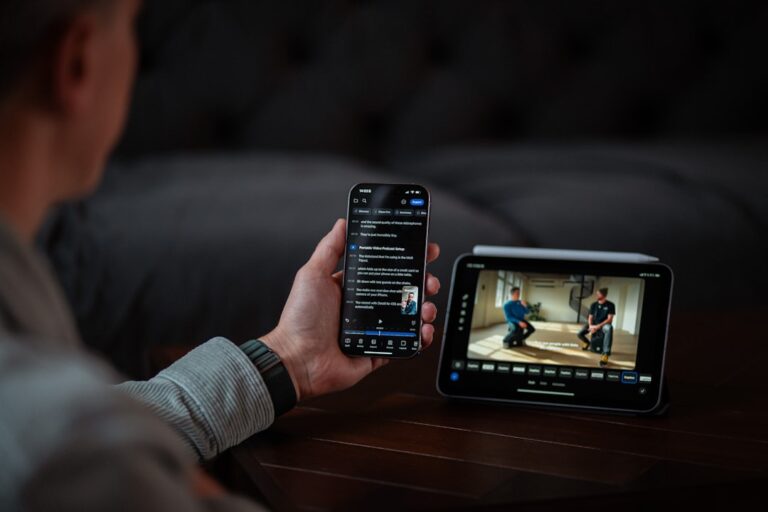
For non-technical small business owners, the setup is genuinely simple: connect to your calendar, authorize the bot to join meetings, and it handles everything from there. This fits squarely in the category of AI tools that save time at work without requiring technical expertise — once configured, it runs invisibly in the background.
The 6 Best AI Meeting Transcription Tools for Small Business
1. Otter.ai — Best Overall for Small Business Owners
Otter.ai is the category leader for good reason. It’s been refining AI transcription longer than most competitors, and the results show — accuracy is strong even with multiple speakers and background noise, the mobile app is genuinely polished, and the free tier is among the most generous available.
What makes it stand out for small business owners:
- OtterPilot joins your Zoom, Google Meet, or Teams calls automatically from your calendar
- Live transcription appears in real time during the call — anyone can follow along without being in the meeting
- AI-generated meeting summary lands in your inbox before you’ve finished your post-call coffee
- Action items are extracted and can be assigned to team members directly
- Integrates natively with HubSpot, Salesforce, Notion, and Slack
The free plan includes 300 transcription minutes per month (enough for 5–6 hours of meetings), with three AI summary credits. The Pro plan at $16.99/month removes most limits and adds advanced search and custom vocabulary — useful if your industry uses specific terminology the AI doesn’t recognize out of the box.
Best for: Small business owners who want a reliable, well-supported tool with a proven track record and strong mobile app.
2. Descript — Best for Turning Meetings into Content
Descript takes a different approach: it treats your meeting recording as raw material for content creation, not just an archive. You record the meeting, Descript transcribes it, and then you can edit the video by editing the text — delete a word from the transcript and the video clip is removed. For small business owners who want to repurpose client calls, podcast episodes, or strategy sessions into clips, blog posts, or social content, this is the tool that unlocks that workflow.
The transcription accuracy is excellent, the editor is intuitive, and the Overdub feature (AI voice cloning) lets you fix verbal mistakes in recordings without re-recording. The free tier is limited but functional; Creator at $24/month is where the real content creation capability lives.
Best for: Business owners who run podcasts, create video content, or want to repurpose meeting recordings into marketing material. If you’re already working on using AI to create business content faster, Descript fits directly into that workflow.
3. Fireflies.ai — Best for Team-Wide Meeting Management
Fireflies.ai is built for teams rather than individual users — its strongest features involve tracking meetings across your entire organization, not just your personal calls. The AI notetaker joins every meeting across all team members’ calendars, creating a centralized, searchable library of every conversation your business has had.
The Conversation Intelligence features are particularly useful for sales teams: Fireflies tracks talk time ratios, sentiment, keyword mentions, and question frequency across calls. If you want to know how often price objections come up in your sales calls or whether your team is following the right discovery process, Fireflies surfaces that data automatically.
Free plan includes unlimited transcription (storage-limited); Pro at $18/seat/month adds AI summaries, CRM integrations, and the analytics features.
Best for: Small businesses with 3–10 employees where meeting consistency and cross-team visibility matter.
4. Fathom — Best Free Option, No Catch
Fathom’s free plan is genuinely unlimited — unlimited recordings, unlimited transcripts, unlimited AI summaries, and no storage cap. It currently supports Zoom natively (Google Meet and Teams are available on paid plans). The AI summary quality is excellent, action items are extracted clearly, and the interface is clean and fast.
For a solo operator or very small team who primarily runs Zoom calls and wants professional-grade transcription without spending anything, Fathom is the obvious choice. The paid plan at $32/month adds support for other platforms, custom templates, and CRM integrations.
Best for: Budget-conscious solopreneurs who primarily use Zoom and want the best free transcription available.
5. tl;dv — Best for Video-First Teams
tl;dv (short for “too long; didn’t view”) is designed specifically for teams drowning in recorded meetings. Its standout feature: you can clip specific moments from a meeting into a shareable highlight reel and send it to stakeholders who weren’t on the call. Instead of “here’s the 90-minute recording,” you send a 4-minute clip of the decisions made.
The free plan includes unlimited recordings and basic AI summaries. Pro at $29/seat/month adds GPT-4-powered multi-meeting summaries (you can ask “what did we discuss about pricing across all October calls?”) and advanced CRM integrations.
Best for: Teams that need to share specific meeting moments with clients or stakeholders who weren’t present.
6. Notta — Best for Multilingual Business Owners
Notta supports transcription in 58 languages with real-time translation, making it the strongest choice for businesses working across language barriers — international clients, bilingual teams, or service businesses in multilingual communities. Transcription accuracy in non-English languages is significantly better than most competitors. The free tier includes 120 minutes per month; Pro at $14.99/month gives you 1,800 minutes.
Best for: Businesses with international clients or non-English-speaking team members.
Side-by-Side Comparison
| Tool | Free Tier | Paid Starting Price | AI Summaries | Best For |
|---|---|---|---|---|
| Otter.ai | 300 min/month | $16.99/month | Yes (all tiers) | Best overall, mobile-first |
| Descript | Limited (1hr/month) | $24/month | Yes | Content creation from meetings |
| Fireflies.ai | Unlimited (limited storage) | $18/seat/month | Yes (Pro+) | Team meeting management |
| Fathom | Unlimited (Zoom only) | $32/month | Yes (all tiers) | Best free, Zoom users |
| tl;dv | Unlimited recordings | $29/seat/month | Yes (Pro+) | Sharing meeting highlights |
| Notta | 120 min/month | $14.99/month | Yes | Multilingual teams |
How to Build a Meeting-to-Action System with AI Transcription
Picking the right tool is only half the value. The other half comes from building the workflow around it — turning transcripts and summaries into action, not just archives.
Step 1: Auto-Send the Summary After Every Call
Configure your transcription tool to automatically email the meeting summary to all participants within 5 minutes of the call ending. This single habit replaces the “can you send me notes from that call?” follow-up that consumes time every week. Otter.ai and Fireflies.ai both support this natively.
Step 2: Extract Action Items Into Your Task Manager
Most tools let you push identified action items directly into ClickUp, Notion, Asana, or your CRM. Set this up so that anything identified as a commitment in the meeting automatically creates a task in your project management tool. No manual re-entry, no items falling through the cracks.
Step 3: Use Transcripts to Power Your Follow-Up Emails
Paste the meeting summary into a tool like Jasper or Copy.ai and prompt it to write a professional follow-up email summarizing what was discussed and what happens next. This takes 90 seconds and produces a follow-up that’s specific, accurate, and polished — far better than a generic “great talking to you” message. For a full workflow on automating this, see how to automate customer follow-up emails with AI.
Step 4: Build a Searchable Meeting Library
Stop thinking of meeting recordings as temporary files that get deleted after 30 days. Your meeting archive is a business asset — a record of every client commitment, every strategic decision, every pricing conversation. Otter.ai, Fireflies.ai, and tl;dv all maintain searchable archives. When a client dispute comes up six months later, you search the transcript and have the exact quote in 30 seconds.
- Otter.ai is the best all-around AI transcription tool for small business owners — the free tier is generous, the accuracy is strong, and the integrations cover most common workflows.
- Fathom is the best completely free option for Zoom-primary users — unlimited recordings and AI summaries with no storage limits or time caps.
- Descript is the right pick if you want to repurpose meeting content into videos, clips, or written content — it’s a transcription tool and a content creation studio in one.
- Always notify meeting participants that a bot notetaker will be present — it’s professional courtesy and often a legal requirement for recorded conversations.
- The real ROI from transcription comes from building a system: auto-email summaries, push action items to your task manager, use transcripts to power follow-up emails, and build a searchable meeting archive.
Frequently Asked Questions
Is AI meeting transcription accurate enough to rely on?
Yes — for major platforms (Otter.ai, Fathom, Fireflies.ai), accuracy on clear audio with standard English is typically 90–95%, which is more than sufficient for capturing decisions, action items, and the substance of a conversation. Accuracy drops with heavy accents, multiple speakers talking over each other, or poor audio quality. Notta performs best for non-English languages. The AI summaries are generally more reliable than the raw transcripts for decision capture — even if individual words are occasionally wrong, the summary correctly identifies the key points.
Will clients be uncomfortable with an AI notetaker on the call?
In most professional contexts, no — especially when you frame it positively. “I use an AI notetaker so I can focus on our conversation instead of taking notes” is almost always received well. The key is to mention it proactively, not let participants discover a bot in the participant list without context. Some clients may prefer not to be recorded; have a simple opt-out process ready (turn off the bot for that call, take notes manually) and respect the preference without making it a friction point.
Do these tools work with in-person meetings?
Yes — all the tools listed here have mobile apps that can transcribe in-person meetings using your phone’s microphone. Otter.ai’s mobile transcription for in-person conversations is particularly good. Audio quality matters more for in-person recording than video calls, so a clear table placement and minimal background noise significantly improve accuracy. This is especially useful for discovery meetings, sales calls at client offices, or team workshops where screen-based tools aren’t practical.
How much do these tools cost for a team of 3–5 people?
Per-seat pricing applies on most paid plans. For a team of five, budgets look like: Otter.ai Business at $40/seat/month totals $200/month; Fireflies.ai Pro at $18/seat/month totals $90/month; Fathom’s free tier covers the whole team at $0 for Zoom-only use. For most small teams, starting with Fathom’s free plan and upgrading only when you hit a genuine limitation is the right approach — you’ll know within 60 days whether the feature gaps in the free tier actually matter for your workflow.
Can I use meeting transcripts to train or improve my AI tools?
Indirectly, yes. Your meeting transcripts are excellent raw material for building context prompts — paste a client call transcript into Jasper or Copy.ai and ask it to write a proposal, a follow-up email, or a project scope document. The AI produces output that reflects what was actually discussed rather than generic content. Some teams also use transcripts to build internal knowledge bases: key decisions, pricing discussions, and client requirements captured from calls and stored in Notion or a similar tool for future reference.
Related Reading
- How to Automate Recurring Tasks in Your Small Business via AutoFlowGuide
- Klaviyo vs Mailchimp for Small Ecommerce Stores 2026 via SaaSSleuth